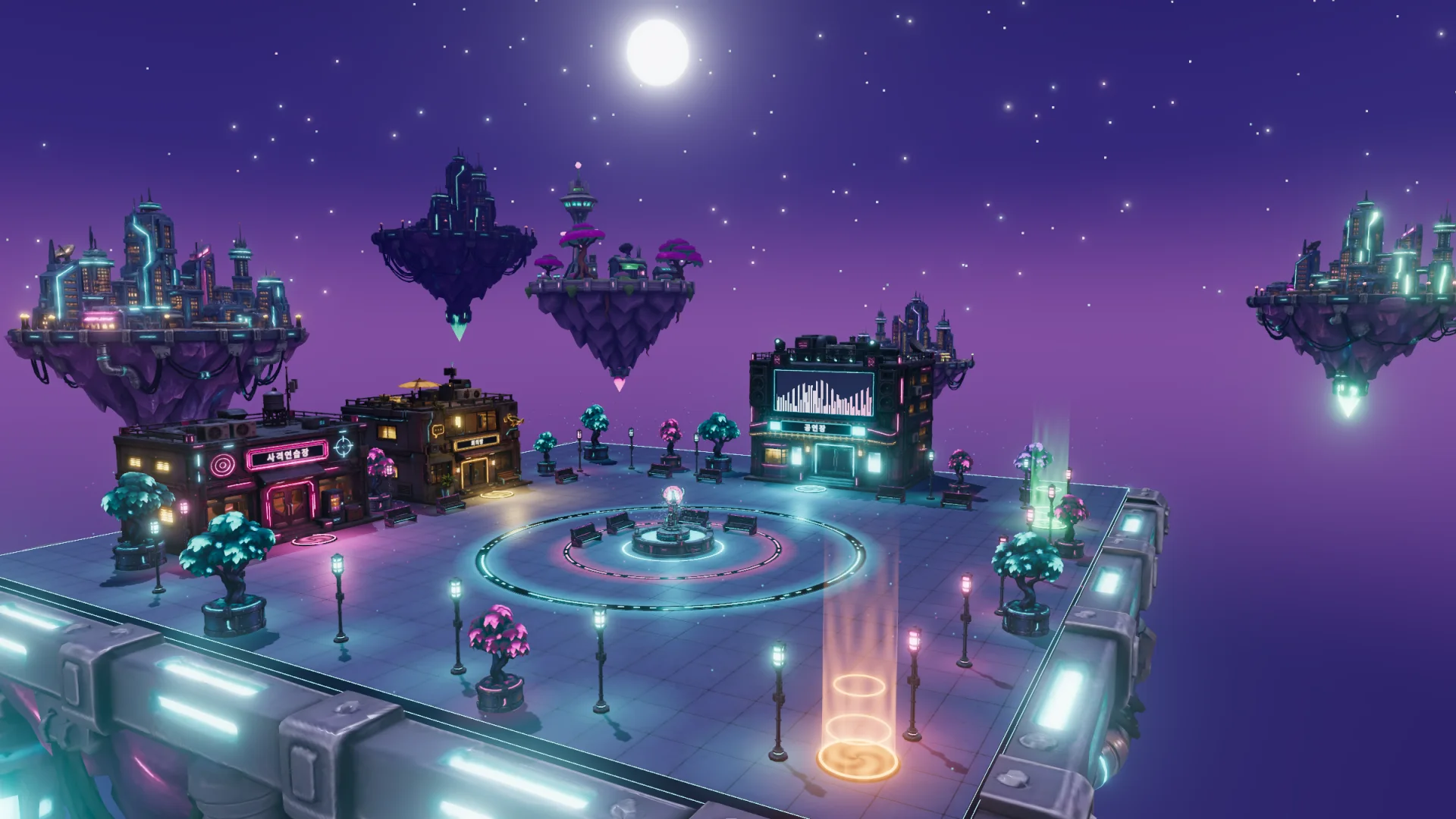
PalbokMeta
A 3D plaza you can enter right from your browser — no install
About
PalbokMeta is a 3D metaverse built by PalbokSoft. There is no app to install and no account to create — open the link, choose a nickname and you are in the plaza.
There are three maps: the plaza, the cafe and the playground. The plaza has a theater, a shooting range and meeting rooms; the cafe has drink orders and fountain activities; the playground has active mini games. Everyone on the same map sees each other move in real time.
Private meeting rooms support voice calls and screen sharing, so it works as a place to work together as well as to hang out.
It is currently in beta, and new places and activities are being added. Drop by and let us know what you think. The in-world interface is currently in Korean.
- Platforms
- PC · Mobile · Web browser
- Launched
- 2026.11
- Built with
- Three.js Colyseus NestJS PostgreSQL TypeScript
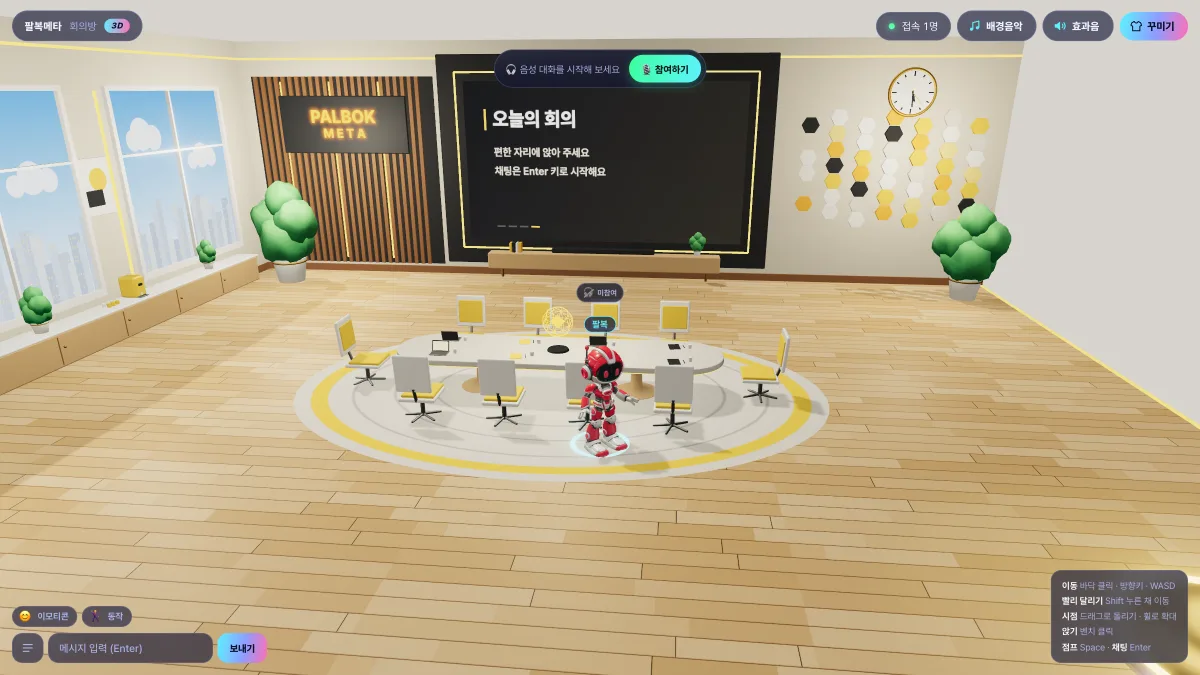
Zoom-style video meetings in the meeting rooms
The meeting rooms in the plaza support voice calls and screen sharing, just like Zoom. No separate meeting app — gather as characters, talk by voice and share your screen together.
- Voice calls with everyone in the room
- Screen sharing to look at materials together
- Private meeting rooms just for your group
- Right in the browser — no install or sign-up
Explore the 3 maps
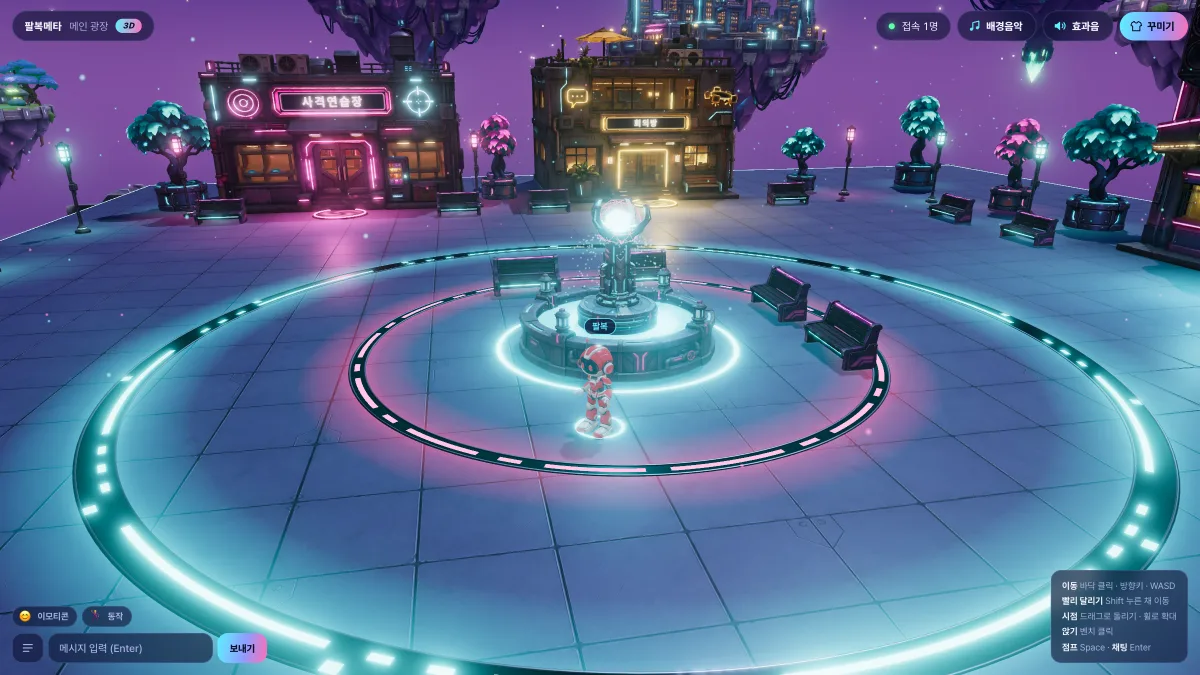
MAP 1
Plaza
The neon-lit main plaza at night
Where you arrive. Around the central fountain are the theater, the shooting range and the meeting rooms, and portals lead to the cafe and the playground.
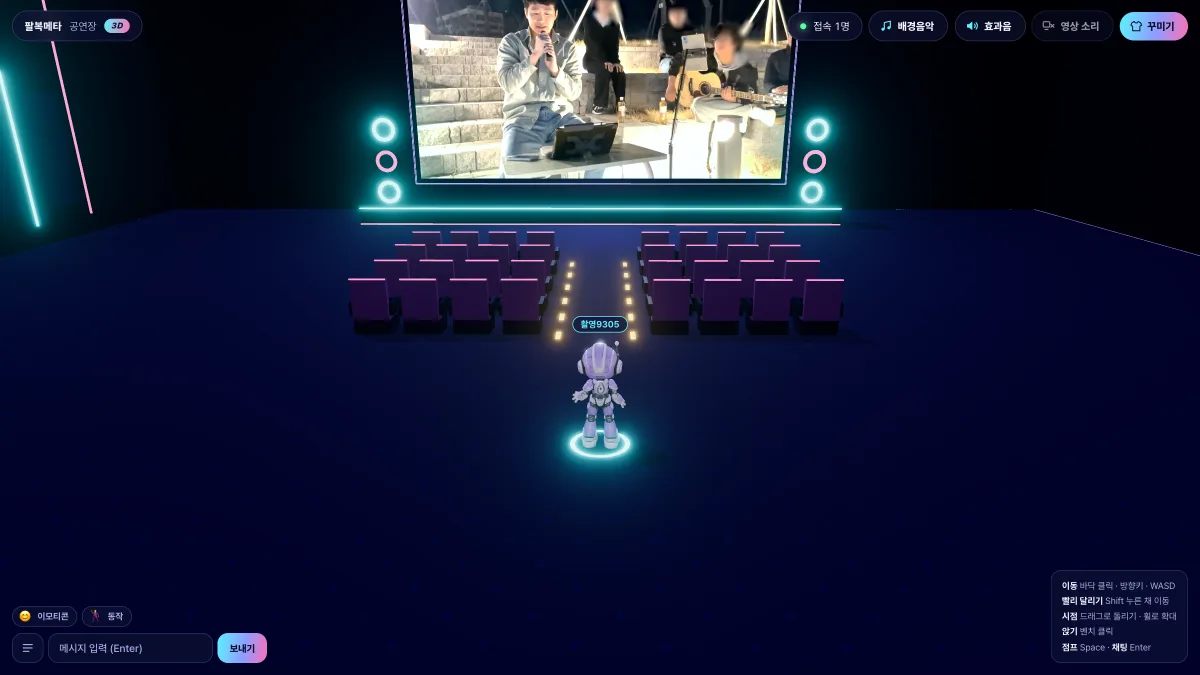
Theater
Videos play continuously on the big screen. Take a seat and watch the same scene together with others.
 Leaderboard
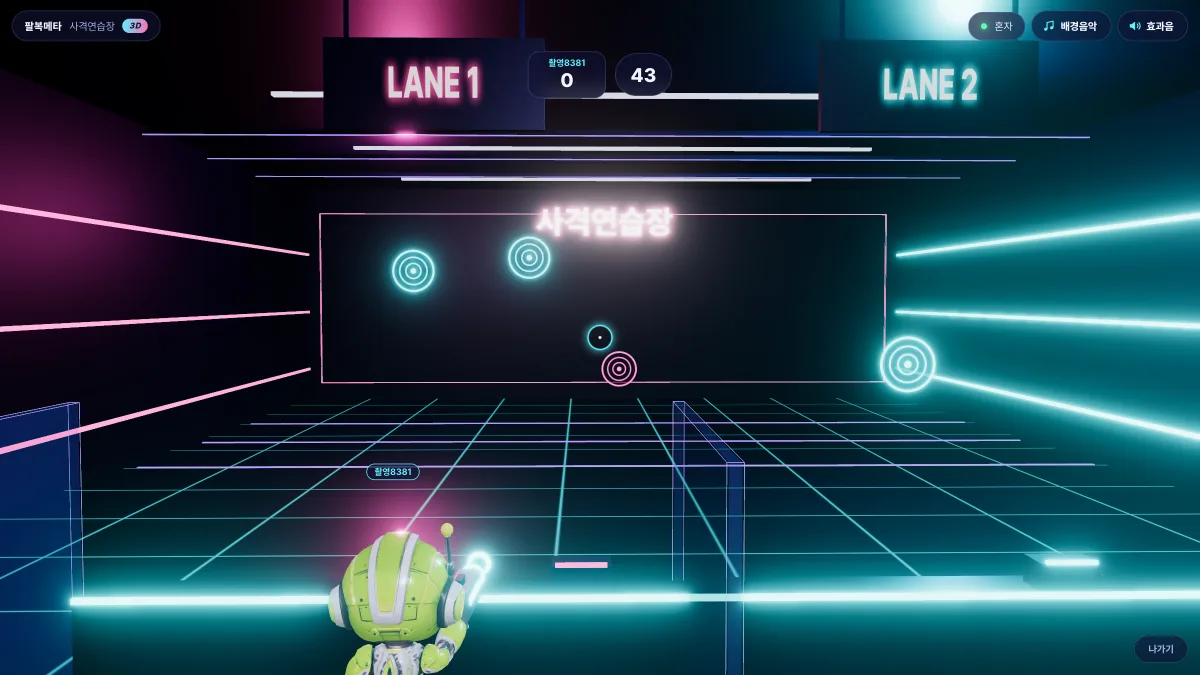
Shooting Range
A light shooting mini game: hit as many targets as you can in 45 seconds. Two lanes let two people compete side by side.
Video meetings
Meeting Rooms
There are public and private meeting rooms. Private rooms offer Zoom-style video meetings with voice calls and screen sharing.
MAP 2
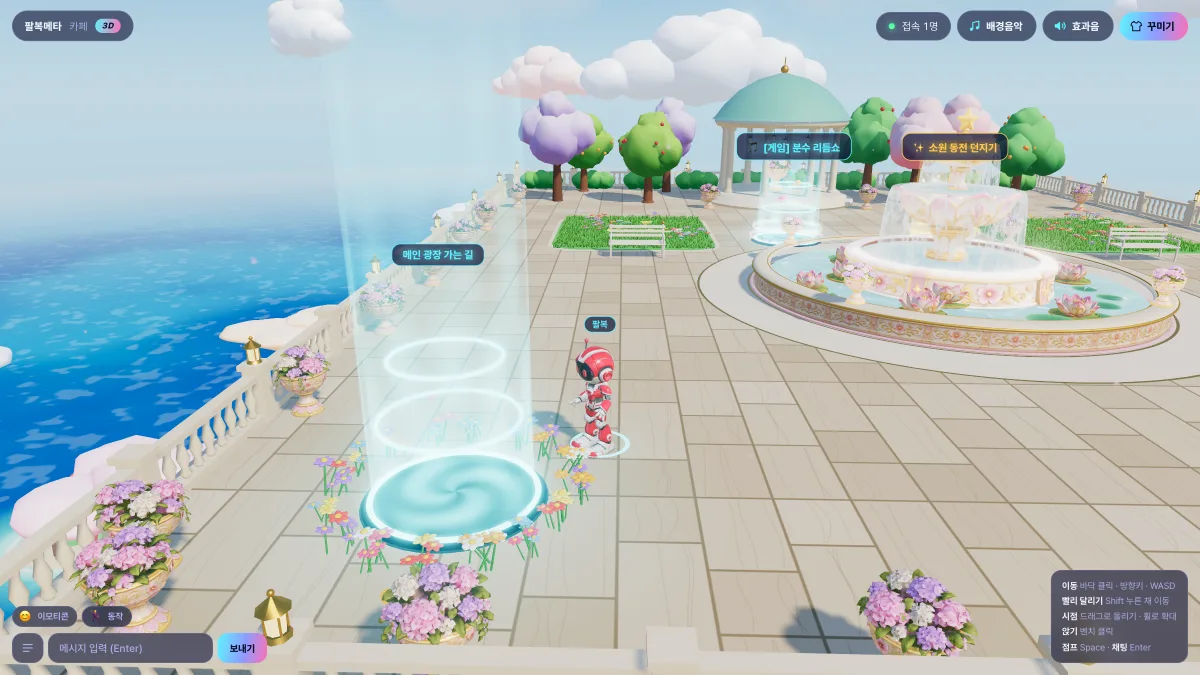
Cafe
A garden above the clouds with a glass-house cafe
A garden floating over the sea. Order drinks and take on the barista challenge in the cafe, and play the rhythm game or toss a wishing coin at the fountain.
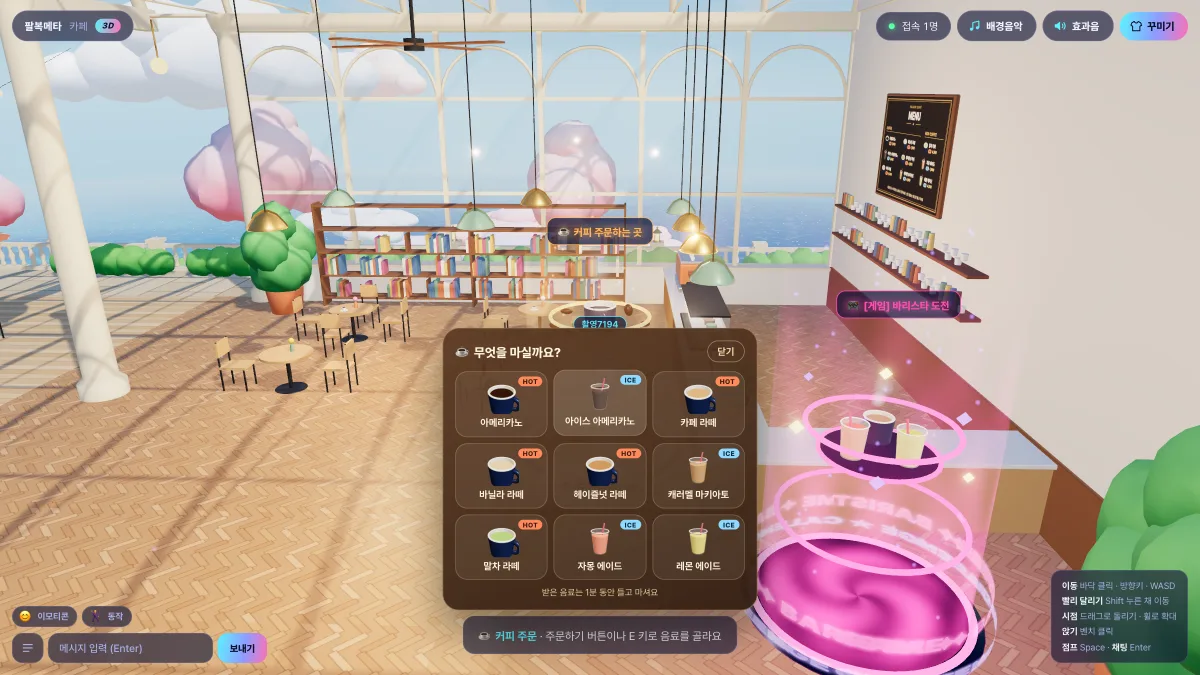
Order a Drink
Order one of 9 drinks — americano, lattes, ades — at the counter and watch it being made. Your character holds the drink for one minute.
 Leaderboard
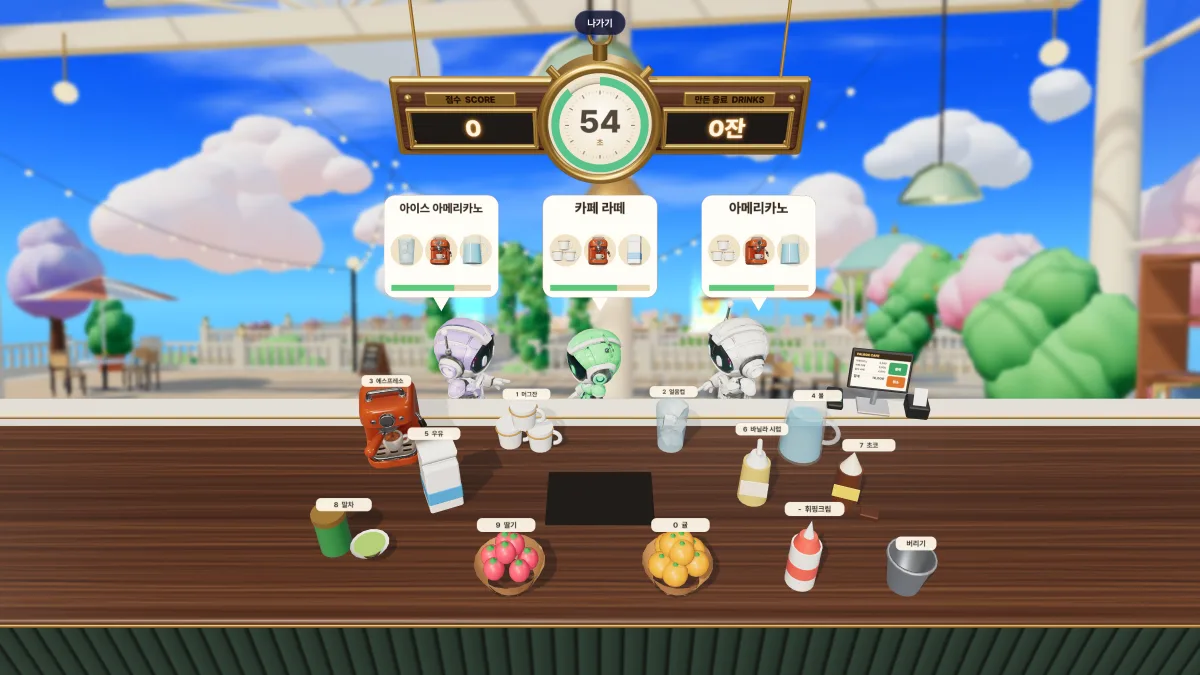
Barista Challenge
Pick the cup and ingredients each robot customer orders. Serve more and faster within 60 seconds for a higher score.
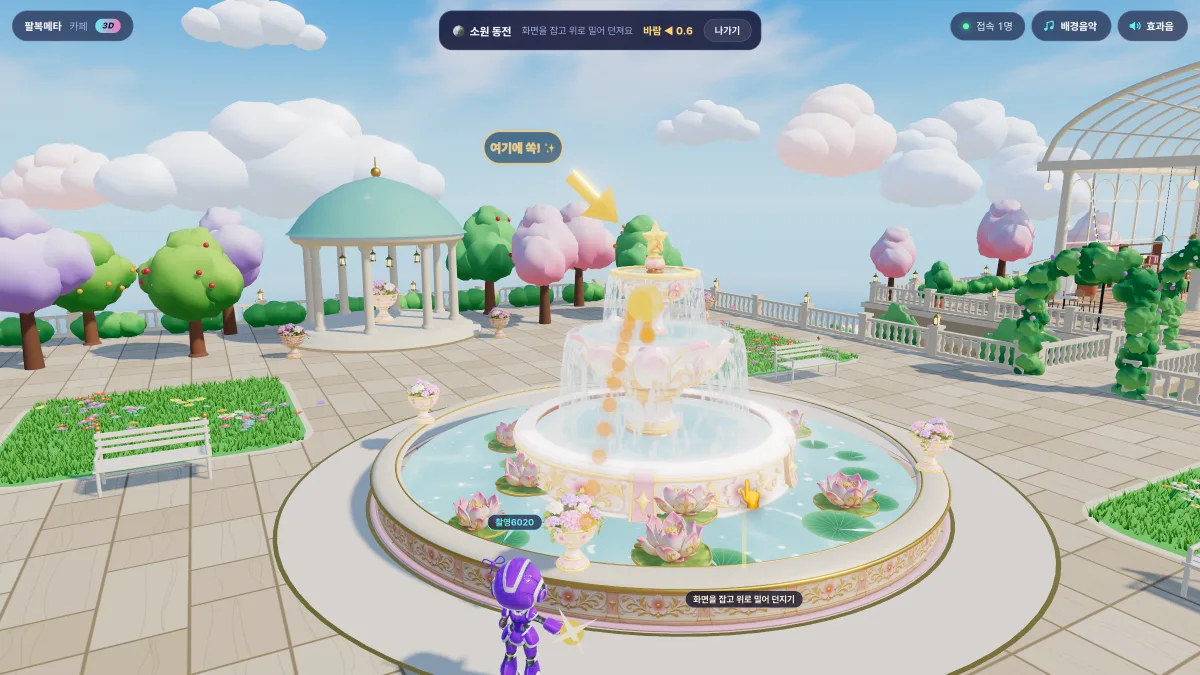
Wishing Coin
Toss a coin into the top bowl of the fountain and your wish letter flies off to the sky with a dove. Wishes are never stored.
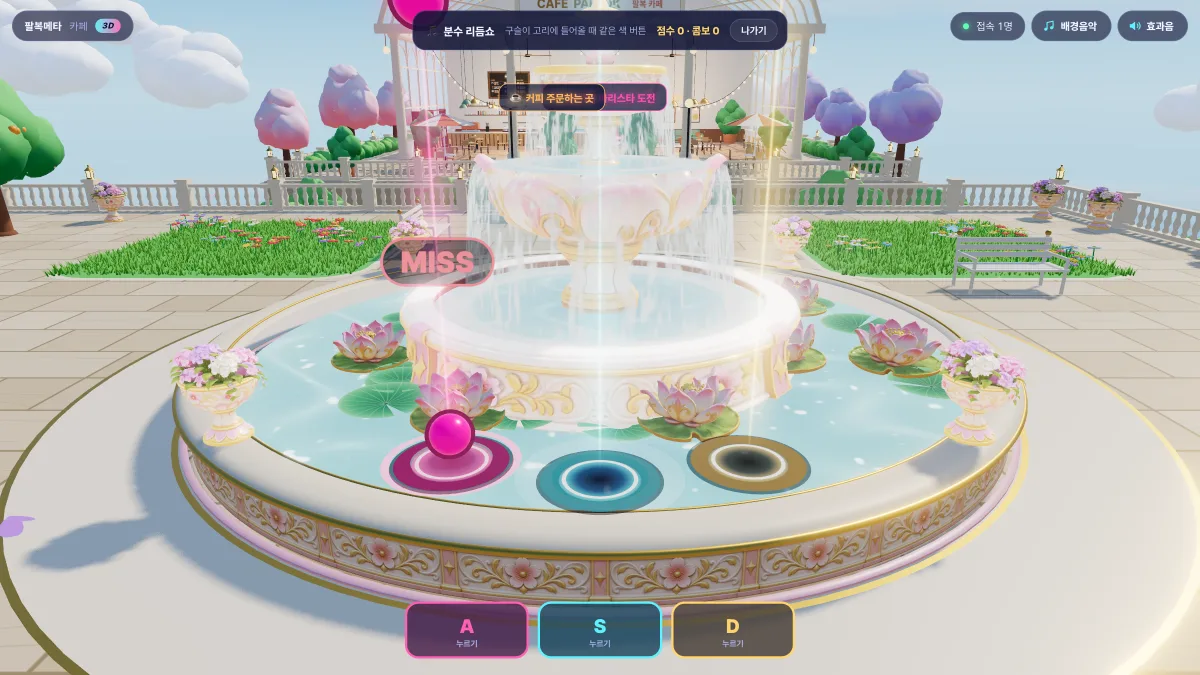 Leaderboard
Fountain Rhythm Show
A rhythm game at the fountain. Press A, S or D (buttons on mobile) as the orbs reach the rings to keep your combo going.
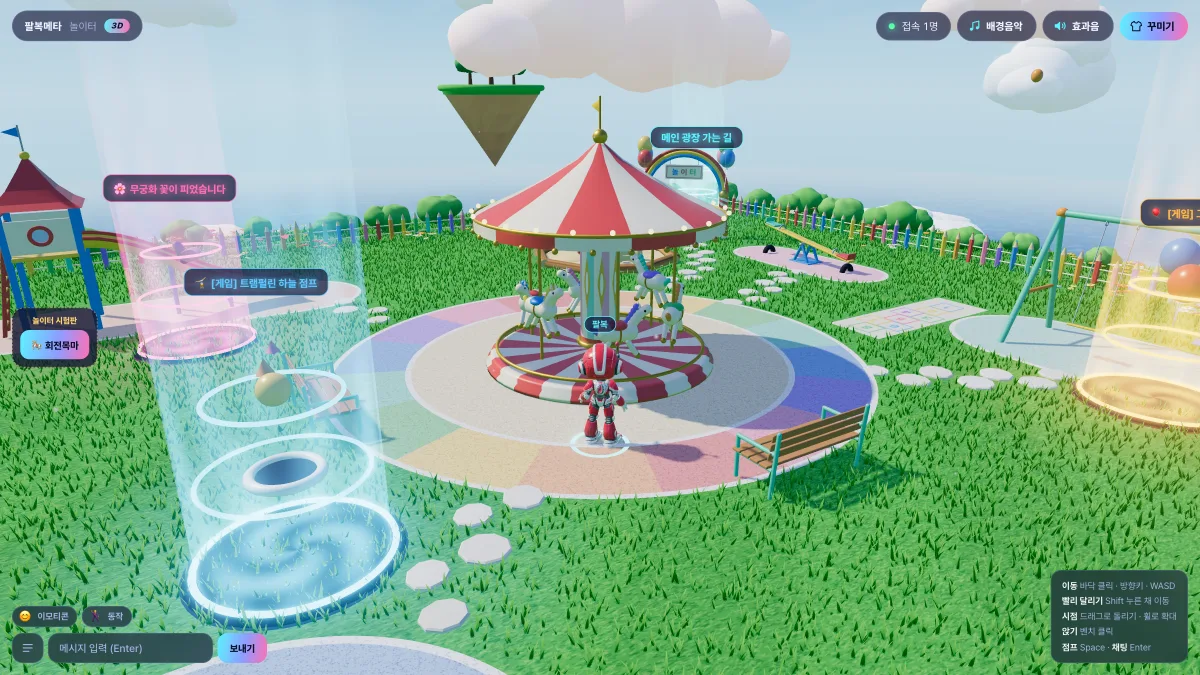
MAP 3
Playground
A sunny playground on a sky island over the sea
A bright playground with a carousel, slides, swings and a trampoline, plus three active mini games.
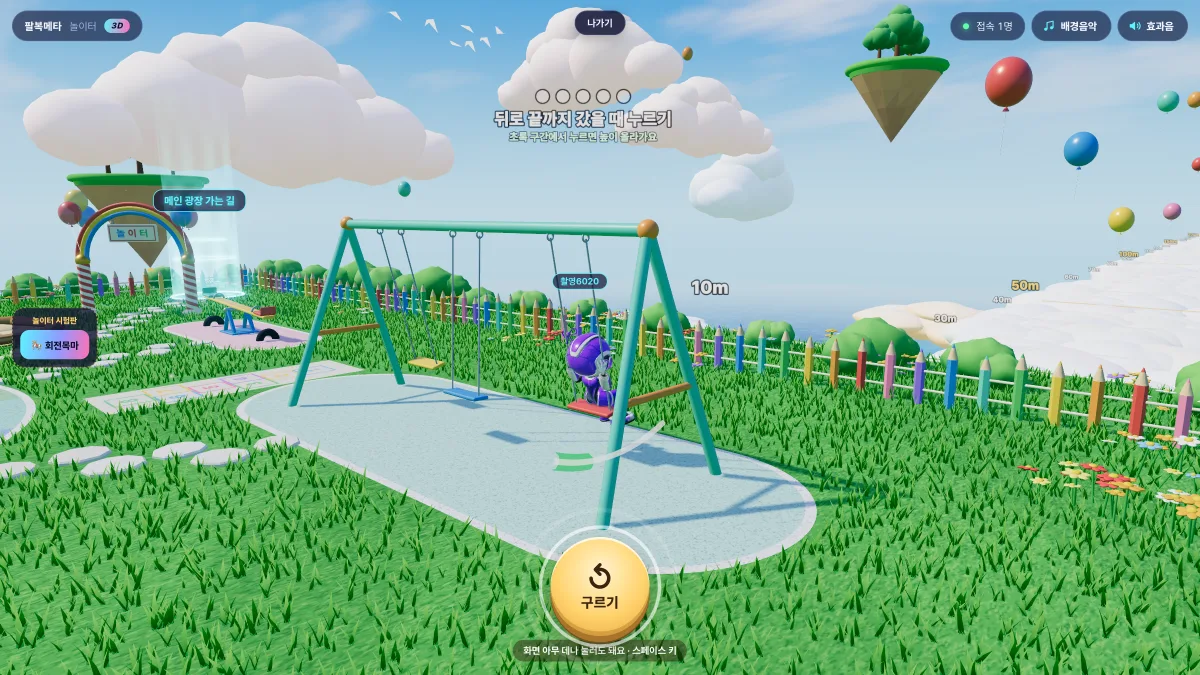 Leaderboard
Swing Launch
Pump the swing when it reaches the back, then jump off at the peak to fly far out over the sea.
 Leaderboard
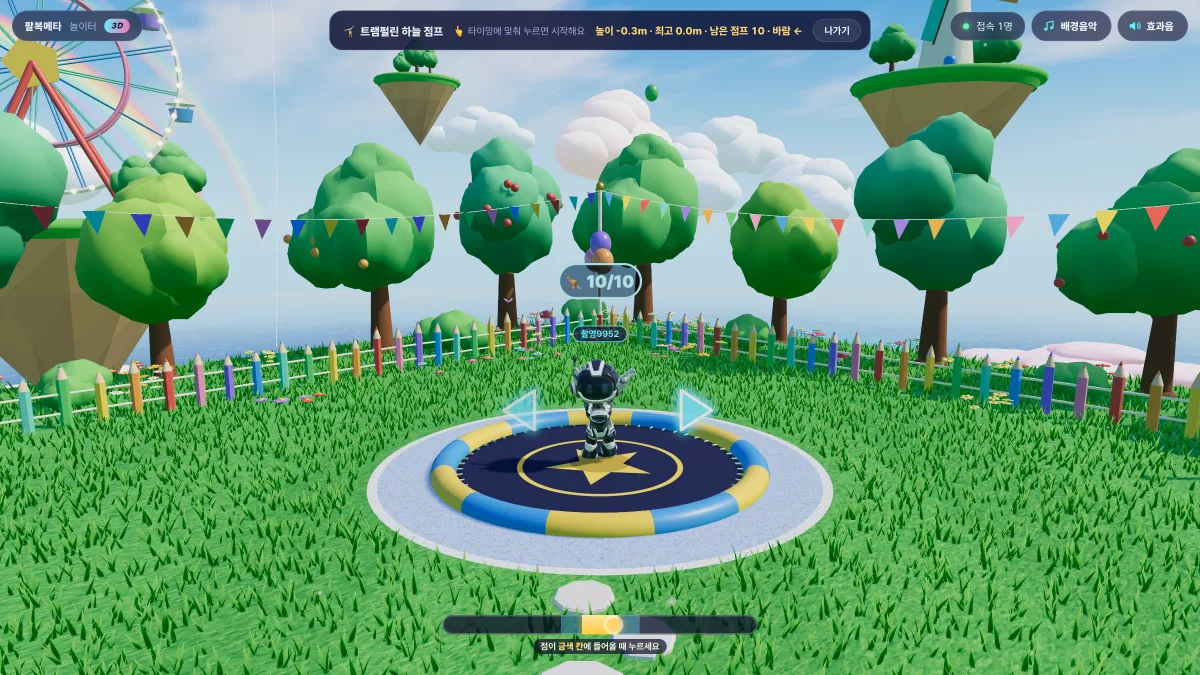
Trampoline Sky Jump
Ten bounces — press as you touch the mat to go higher. Collect balloons and stars, dodge birds; your best height is recorded.
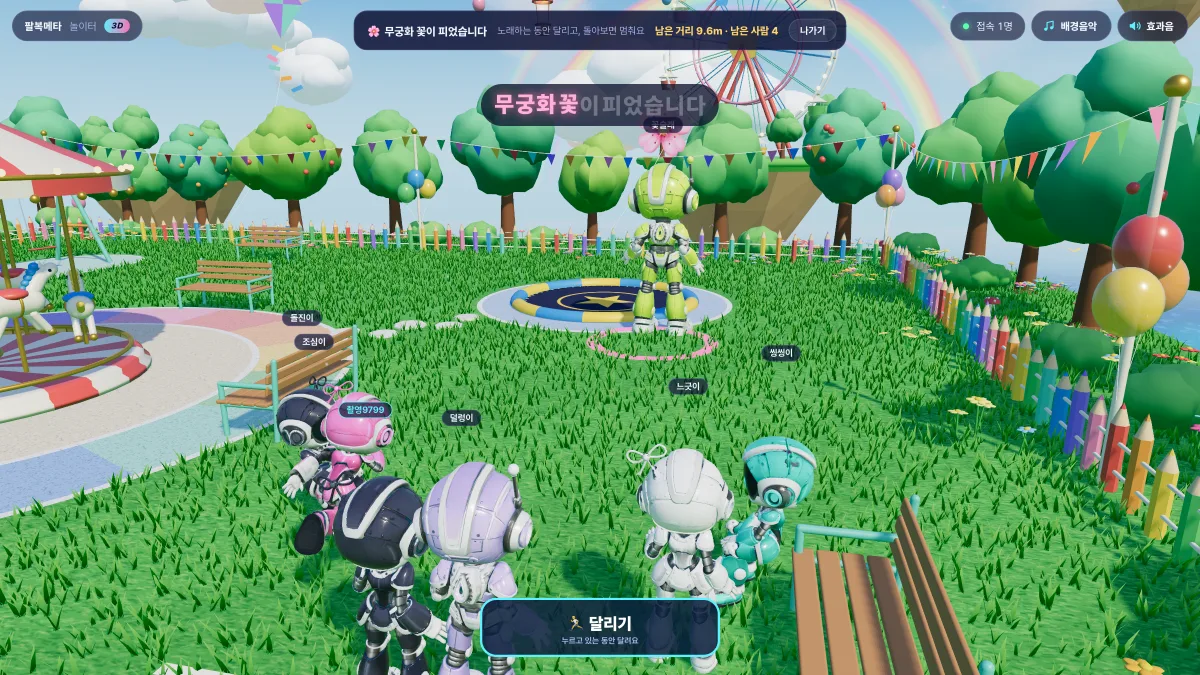
Red Light, Green Light
A tag game with robot friends: run only while the song plays and freeze when the tagger turns around. Just for fun, no records.
What you can do
Together in real time
See everyone on the same map move in real time. Chat with speech bubbles and wave, dance or give a thumbs-up.
Video meetings
Private meeting rooms support voice calls and screen sharing — no separate meeting app needed.
A shared theater
Videos play continuously, so whenever you walk in you see the same scene as everyone else.
Ranked mini games
Shooting range, barista challenge, fountain rhythm show, swing launch and trampoline sky jump records go on the leaderboard.
Little things to do
Order a drink and carry it around, toss a wishing coin into the fountain, or play "Red Light, Green Light" in the playground.
PC and mobile
Click, arrow keys or WASD on PC; an on-screen joystick on mobile. Pick your character type and color too.
How to get in
-
1
Press "Enter now" — PalbokMeta opens in a new tab.
-
2
Choose a nickname and a character to enter the plaza. No sign-up needed.
-
3
On PC, click the ground or use arrow keys / WASD. On mobile, use the joystick at the bottom left. Press Enter to chat.
-
4
Step onto a glowing portal to go to the cafe or playground, or stand on an entrance pad to enter the theater, shooting range or meeting rooms.
FAQ
Do I need to install anything or sign up? +
No. Open the link in your browser, pick a nickname and you are in.
How do video meetings work? +
Enter a private meeting room in the plaza to use voice calls and screen sharing.
Does it work on phones? +
Yes. Use the joystick at the bottom left of the screen. Being 3D, it runs more smoothly on recent devices and browsers.
Is it free? +
Yes, it is free.
Is it linked to my PalbokSoft account? +
Not yet. PalbokMeta works with a nickname only.
Step inside
A 3D plaza you can enter right from your browser — no install
Enter now